Training
Lead to claim
Open the lead list, open a lead that is not a claim yet, and find Convert to claim. The claims list is where that work lives once it is a file.
Follow these steps
These screens are from Demo Office. The caption says what to look at on each one.
Step 1 of 3
Open the lead list
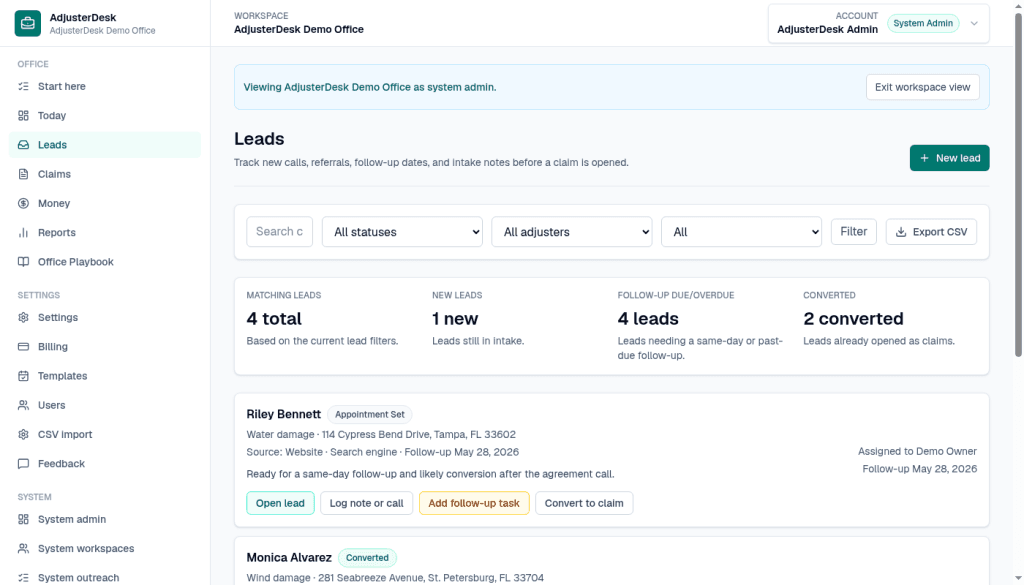
From Today, use Open leads, or choose Leads. Demo Office shows 4 matching leads, 1 new, 4 follow-up due or overdue, and 2 converted. Riley Bennett is Appointment Set: water damage at 114 Cypress Bend Drive, Tampa, FL 33602, source Website, referral Search engine, follow-up May 28, 2026. The note says he is ready for a same-day follow-up. The row actions are Open lead, Log note or call, Add follow-up task, and Convert to claim. Monica Alvarez is already marked Converted.
Step 2 of 3
Open the lead
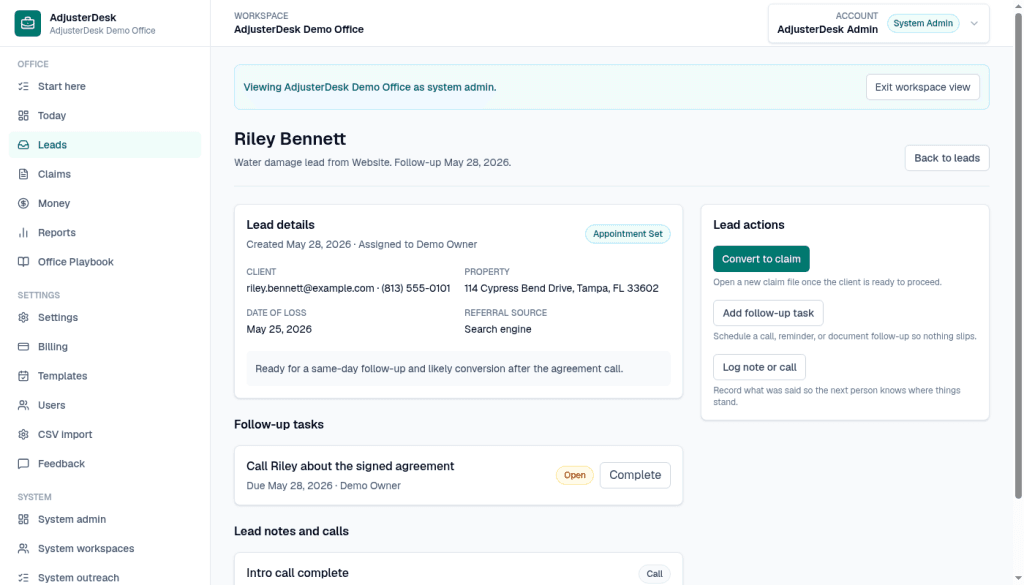
Open lead on Riley Bennett. The page is a water damage lead from Website, follow-up May 28, 2026, status Appointment Set, assigned to Demo Owner. Lead details show the client, the property at 114 Cypress Bend Drive, date of loss May 25, 2026, and referral source Search engine. Lead actions has Convert to claim. The line under that button says: Open a new claim file once the client is ready to proceed. Add follow-up task and Log note or call sit under it. The open follow-up on this lead is Call Riley about the signed agreement, due May 28, 2026, with Complete next to it. The note below is Intro call complete.
Step 3 of 3
See the claim on the claims list
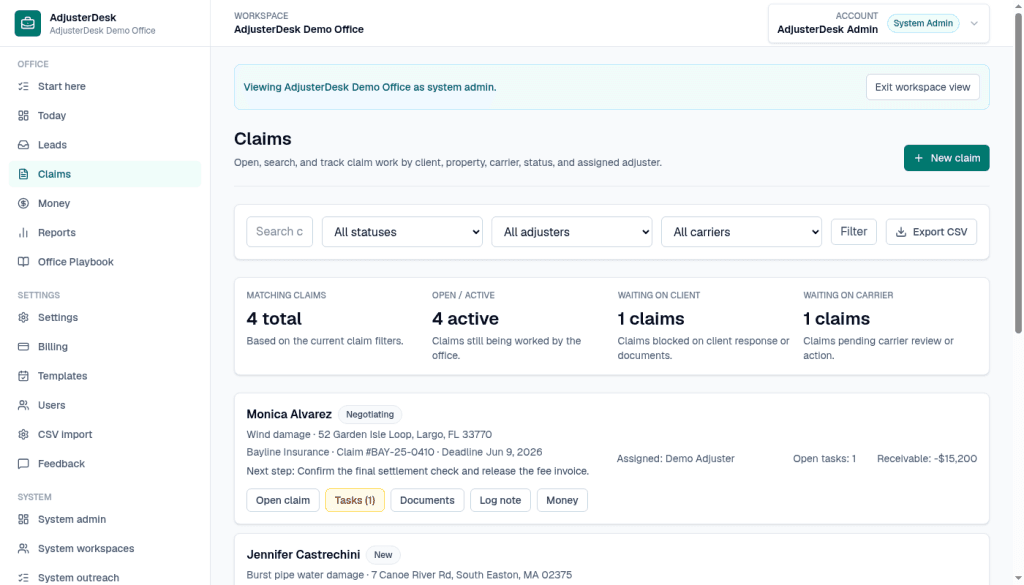
Claims is where a converted lead is worked. Demo Office shows 4 matching claims, 4 active, 1 waiting on client, and 1 waiting on carrier. Monica Alvarez is Negotiating: wind damage at 52 Garden Isle Loop, Largo, FL 33770, Bayline Insurance, claim BAY-25-0410, deadline June 9, 2026. The next step on the row is: Confirm the final settlement check and release the fee invoice. She is assigned to Demo Adjuster, with 1 open task, and the row shows Receivable $0. The row actions are Open claim, Tasks (1), Documents, Log note, and Money.
$0 for 90 days, then $29/month Solo or $49/month Small Office, locked for 12 months. Checkout collects a card. $0 is due during the 90-day trial, then the founding monthly rate. Questions: [email protected].
See founding desk offerPut the first 10 active claims on the desk.
Async onboarding, no sales call. Email support at [email protected].