Training
Desk overview
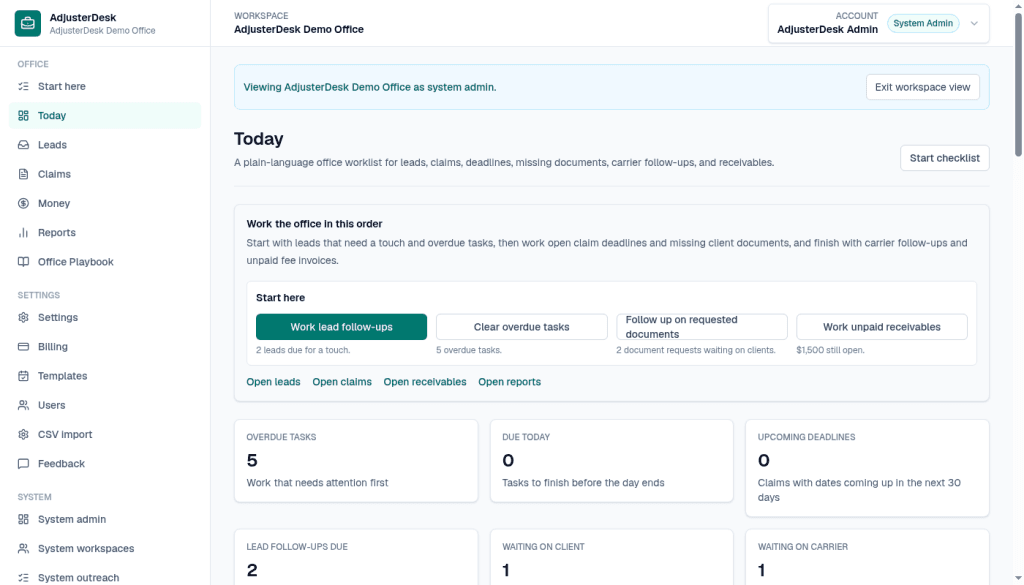
Today is the morning list: overdue work, what is due, which follow-ups need a touch, and what is still unpaid.
Follow these steps
These screens are from Demo Office. The caption says what to look at on each one.
Step 1 of 2
Open Today
After you sign in, open Today. This is the daily command center: what to follow up, what is waiting, what is due, and what is still unpaid. In Demo Office the panel says Work the office in this order. Start here has four actions: Work lead follow-ups (2 leads due for a touch), Clear overdue tasks (5 overdue tasks), Follow up on requested documents (2 document requests waiting on clients), and Work unpaid receivables ($1,500 still open). Under those are Open leads, Open claims, Open receivables, and Open reports. The counts on this screen are Overdue tasks 5, Due today 0, Upcoming deadlines 0, Lead follow-ups due 2, Waiting on client 1, and Waiting on carrier 1.
Step 2 of 2
Open a claim
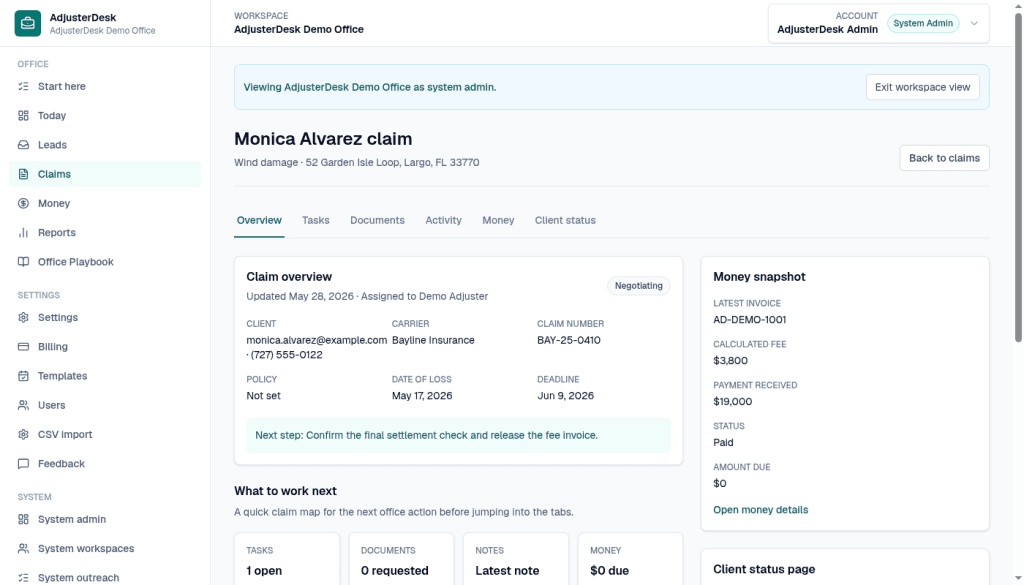
Open claims, then open a file. This is the Monica Alvarez claim in Demo Office: wind damage at 52 Garden Isle Loop, Largo, FL 33770. The tabs are Overview, Tasks, Documents, Activity, Money, and Client status. Overview shows Bayline Insurance, claim number BAY-25-0410, policy not set, date of loss May 17, 2026, and deadline June 9, 2026. The next step on the file is: Confirm the final settlement check and release the fee invoice. What to work next shows Tasks 1 open, Documents 0 requested, and Money $0 due. The money snapshot shows invoice AD-DEMO-1001, calculated fee $3,800, payment received $3,800, status Paid, and amount due $0.
$0 for 90 days, then $29/month Solo or $49/month Small Office, locked for 12 months. Checkout collects a card. $0 is due during the 90-day trial, then the founding monthly rate. Questions: [email protected].
See founding desk offerPut the first 10 active claims on the desk.
Async onboarding, no sales call. Email support at [email protected].