Training
Follow-ups that don't slip
On an active claim, Overview shows the next step and how many tasks are open. The Tasks tab is where the follow-up and its date live.
Follow these steps
These screens are from Demo Office. The caption says what to look at on each one.
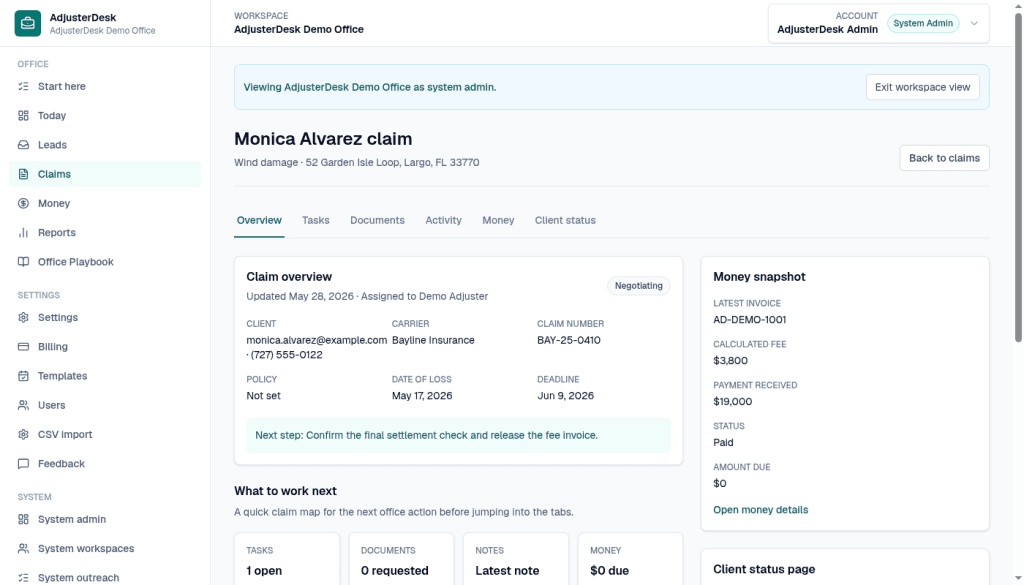
Step 1 of 2
Read the next step on the claim
Open the claim. On Monica Alvarez, Overview keeps the next step in view: Confirm the final settlement check and release the fee invoice. What to work next shows Tasks 1 open. The deadline on the file is June 9, 2026. Use the Tasks tab when you need the follow-up itself.
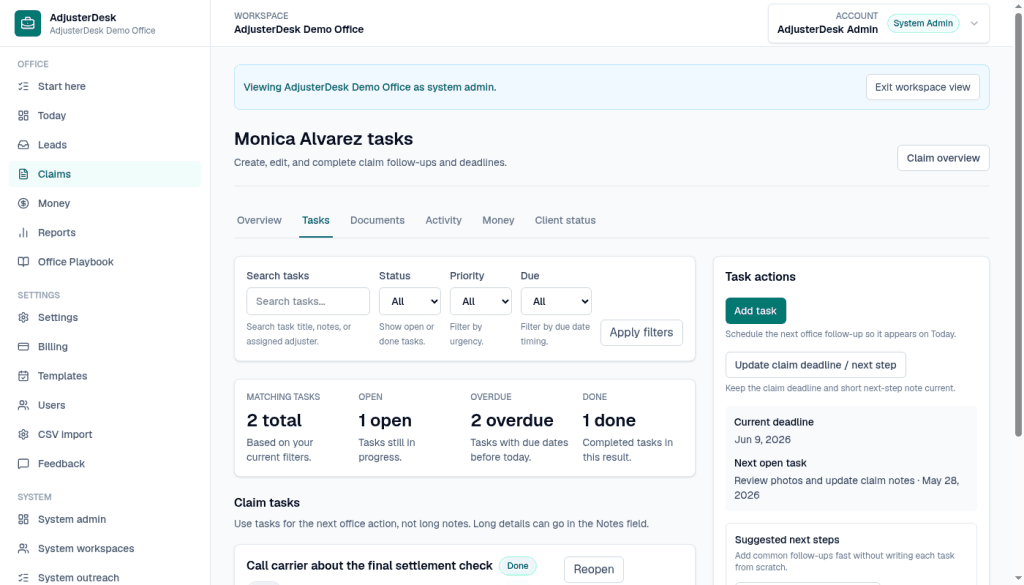
Step 2 of 2
Open Tasks
Tasks on this claim shows 2 matching tasks, 1 open, 2 overdue, and 1 done. The task on screen is Call carrier about the final settlement check, marked Done, with Reopen beside it. Task actions has Add task, and Update claim deadline / next step. The current deadline shown is June 9, 2026. The next open task shown is Review photos and update claim notes, May 28, 2026. Suggested next steps is there for a common follow-up, so you do not have to write each task from scratch.
$0 for 90 days, then $29/month Solo or $49/month Small Office, locked for 12 months. Checkout collects a card. $0 is due during the 90-day trial, then the founding monthly rate. Questions: [email protected].
See founding desk offerPut the first 10 active claims on the desk.
Async onboarding, no sales call. Email support at [email protected].